- Jul 18, 2001
- 17,771
- 27
- 37
- 55
Conditional Summing to be precise...
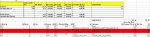
Created a Conditional Sum & it works but then pasted the same formula across other cells & just adjusted one element (week number) to reflect the cell data I am after & the fecking thing gives me a #value grrrr
Formula
=SUM(IF($B$16: $B$541=13,IF($M$16: $M$541="Assess",$J$16: $J$541,0),0))
the $B$16 : $B$541=13 is basically the col for the week... I just want to change this for weeks 10/11/12/13... it ain't playing ball tho